IT portfolio manager software for a portfolio you can defend at budget time
IT portfolio manager software earns its place by turning a list of applications into a decision: what to keep, what to retire, and what each choice saves. Entelim scores every application against the TIME model, flags likely duplicates, and turns the result into a consolidation list with a target date, a saving and an owner on every entry. It is built for the portfolio manager who reports the shape of the application estate to the CIO, and a team can start on the free Community plan.

What an IT portfolio manager does
An IT portfolio manager is accountable for the shape of the application estate: how many applications the organisation runs, what each one costs, who owns it, and which of them to keep, replace or retire. The job exists because that list drifts on its own — two teams buy the same tool without telling each other, a contract renews that almost nobody still uses, an application outlives the one person who could explain what it does. Portfolio manager software earns its place by turning that drift into a reviewable decision: a score, a reason and a saving attached to every application, rather than a spreadsheet nobody fully trusts.
The questions you get asked
- Which applications should we retire, and what would we save? Application rationalisation software: score every application with the TIME model, find duplicates, and plan consolidation with cost, savings and payback.
- Who owns this application, and where are the ownership gaps? An application portfolio management tool: one inventory of every application with owner, cost, lifecycle and risk, linked to what depends on it. Start free.
- Where are we paying for the same thing twice? For scale-up CTOs and VPs of Engineering.
- What does this application cost us, in total? An application portfolio management tool: one inventory of every application with owner, cost, lifecycle and risk, linked to what depends on it. Start free.
The screens you will use
- The AI chat, first, for a quick question about one application before you open its full record.
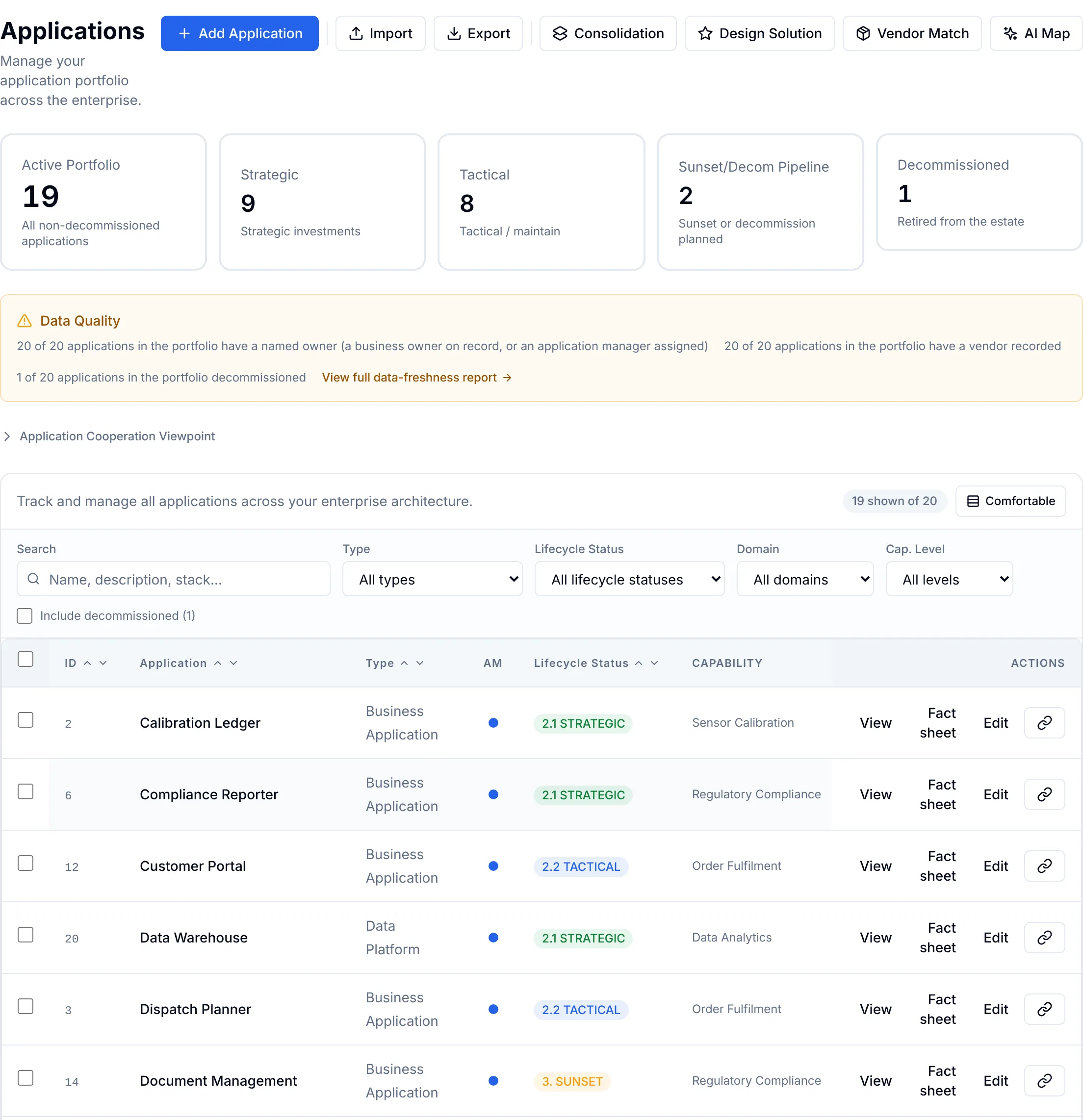
- Applications, the one inventory of owner, cost, lifecycle and risk for everything you run — see Applications.
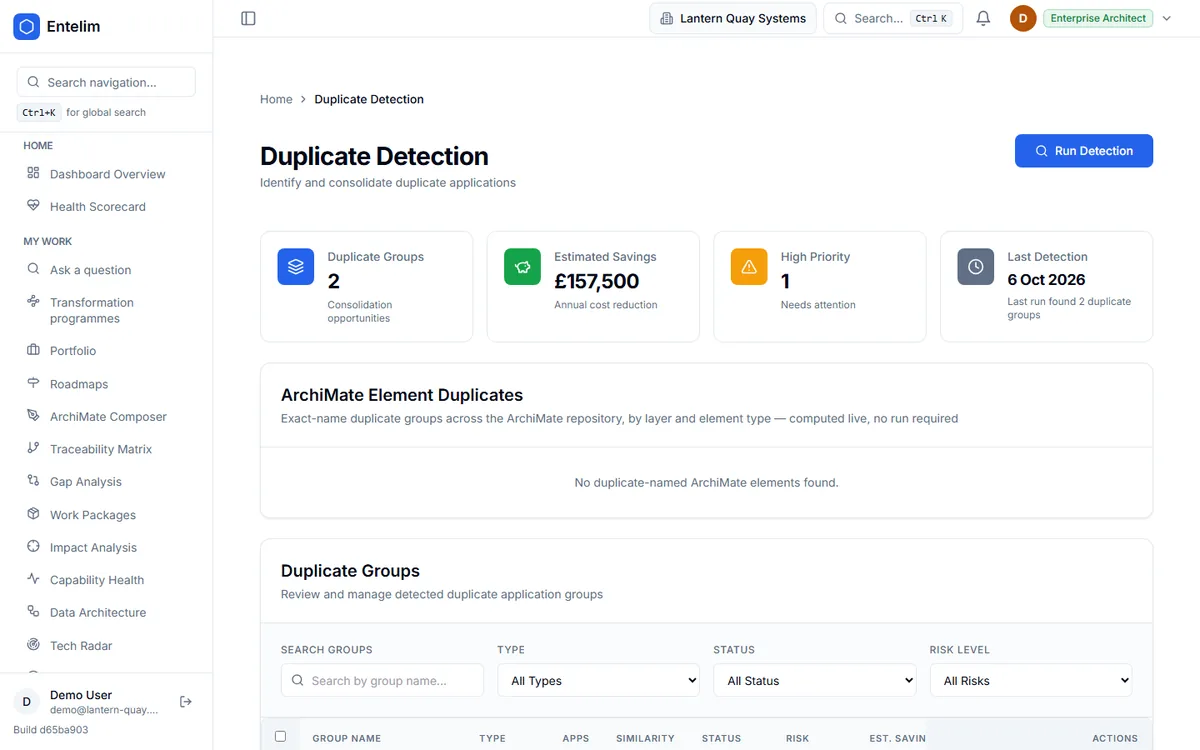
- Rationalisation, which scores every application against the TIME model and runs duplicate detection across the whole list — see Rationalization.
- Vendors, the supplier behind each application, and what else depends on that supplier — see Vendors.
- Portfolio KPIs, the scorecard of total applications, average health score and total portfolio cost, built on a formula register: open a new version of the score's weights and the figures it produced stay attached to the version that calculated them.
- Consolidation list, the recommended retire, replace or consolidate actions, each with a target date, an estimated saving and an owner.
- Ownership coverage, which shows, business unit by business unit, how many of its applications have a named owner.
A week with Entelim
- Bring the inventory in. Add applications by hand, import a CSV or Excel spreadsheet, or bring in an existing ArchiMate model. Entelim also reads configuration items from a connected ServiceNow CMDB straight into the same inventory — see the connectors.
- Run duplicate detection and score the portfolio. Every application gets a 0 to 100 health score and a TIME recommendation, plotted on a TIME quadrant against the whole estate.
- Work the Workbench. Open an application's planning page, read its score breakdown and retirement blockers, and record a replacement plan with migration cost, estimated annual saving and payback in months.
- Send the decision to the review board. A retire, replace or consolidate disposition goes through architecture review board approval before it is final — the same evidence enterprise architects attach to their own changes.
- Track it to completion. The consolidation list carries a target date, a saving and an owner on each entry, and the ownership coverage page shows which business units still have gaps.
What you hand over
A consolidation list with a target date, an estimated annual saving and an owner on each entry, ready to add to the roadmap. A TIME recommendation and a 0 to 100 health score for every application, with the breakdown behind it. Ownership coverage by business unit, so a gap is visible before an audit finds it. The whole portfolio as a CSV, Excel or executive summary export for the budget meeting.
Works with
A CSV, Excel or ArchiMate import puts the whole estate on one list from day one. From there, use a connector to pull configuration items from a ServiceNow CMDB into the same inventory, so the applications ServiceNow already knows about arrive with a record ready for an owner, a cost and a risk rating.
Limits
Entelim does not discover applications on your network; the inventory is what you enter or import. Duplicate detection proposes candidate groups from recorded names and attributes, and a person decides what is genuinely the same tool — nothing is merged or retired until someone approves it. Savings and payback on a replacement plan are the figures you enter, not an estimate Entelim produces from market prices. A score is only as strong as the fields behind it: an application missing its owner, cost or risk is flagged as having insufficient evidence instead of given a confident number.
Frequently asked questions
What is the TIME model?
The TIME model sorts every application into Tolerate, Invest, Migrate or Eliminate. Entelim scores each one on technical health, business value, cost efficiency and vendor risk, assigns the TIME recommendation, and maps it to an action: retain, refactor, replace, retire or consolidate. You can override the recommendation and record why.
Can I import our application spreadsheet?
Yes. Add applications one at a time, or import a CSV or Excel spreadsheet with a preview before anything saves, an import history, and a rollback if the import was wrong. If your applications already live in an ArchiMate model instead, import that directly.
How are portfolio KPIs calculated?
Each score reads from a named formula: four weighted inputs — technical health, business value, cost efficiency and vendor risk — that must add up to one before a new version can go live. A portfolio manager can open a new version with different weights, and a past figure stays attached to the version that produced it, so the number behind a KPI is never a mystery.
Who needs an editor seat?
Anyone editing records — scoring an application, running duplicate detection, recording a replacement plan or opening a new formula version — needs an editor seat on the Team plan, priced per editor. People who only ask questions are free, on every plan. The Community plan covers one whole organisation of up to three people at no cost at all.
Is portfolio management included in the free plan?
Yes. The Community plan is free with no time limit, for one organisation of up to three people, and the open-source edition can be self-hosted under AGPL-3.0. A growing team moves to Team, priced per editor, once more than three people need to edit.
Start free
Start free on the Community plan for one organisation of up to three people, with Applications, Rationalisation and Vendors all included from day one. A growing portfolio team moves to Team, priced per editor, where people who only ask questions in the AI chat stay free. See full pricing.
Other roles
- Business architect tools that tie capabilities and value streams to the work that changes them
- Chief architect software for an architecture function you can account for
- CIO dashboard software for CTOs and technology leaders
- Data architect tools that tie every data flow to a real element in the model
- Enterprise architect tools for one model, not three disconnected ones
- Know what you run, who owns it and what breaks if it fails — starting from GitHub or Jira
- Know what your startup runs and who owns it, from the day you connect GitHub
- Security architect tools that show what a risk reaches, not just where it was logged
- Solution architect tools for a design the review board can actually decide on
- Architecture Review Board
- Take a change through the review board with its evidence pinned to the decision
- What breaks if this service or platform fails, and who gets called?
- What happens to my business if this person, supplier or system underperforms?
- Which contracts renew soon, and what depends on them?
Choose a plan
Annual billing is selected; monthly is one click away. Any tax due is shown on the payment page before you pay.
Import your model and get a free, cited answer to what breaks if a system fails, in minutes.