Business architect tools that tie capabilities and value streams to the work that changes them
Business architect tools earn their place by answering three questions every strategy conversation raises: which capabilities the organisation needs and how mature each one is, which value streams depend on a capability that is not ready, and what work is planned to close the gap. Entelim answers all three from the same model your enterprise architects work in: a capability map with application coverage, a maturity heat map that shows a dash rather than a guess, value streams with a capability-by-stage grid, and a gap register that turns a gap into a work package. A business architect can start on the free Community plan.

What a business architect does
A business architect describes how the organisation creates value: the capabilities it has, the value streams that string them together, and the people accountable for each. The job turns from describing to defending when someone asks where to invest next, or why a strategy has not shipped. Business architect tools earn their place by answering from a model that connects strategy to capabilities, applications and delivery work, not from slides that describe each in isolation.
The questions you get asked
- Which value streams are at risk because the capabilities under them are immature? For enterprise architecture teams and the CIO they report to.
- Show capability maturity as a heat map that never invents a value For enterprise architecture teams reporting capability health to the board.
- Show the path from today's estate to the target state, stage by stage For enterprise architecture teams building a transformation plan the whole organisation can follow.
The screens you will use
- Architecture Journey, which starts from the change you need to make rather than from a diagram. You choose a purpose, such as transforming how the business works, shaping an operating model, turning strategy into execution, changing a portfolio or responding to risk or regulation, and the journey moves through frame, discover, shape, decide and deliver with your work saved automatically.
- Capability Map, which lists every capability with its level, domain, business owner and the applications that support it, and counts the capabilities in the application layer, how many are mapped to applications, how many are not and the coverage that gives. It filters by level, domain and search.
- Capability Maturity, a heat map of current against target maturity on a scale of 1 to 5, grouped by category, with the gap and the date each capability was assessed. A capability with no assessment shows a dash, never a level of 1. See Capability Maturity.
- Value Streams, where you define a stream with a code, a type of customer facing, internal or supporting, an importance and an owner, add its stages, and map capabilities to stages in a capability-by-stage grid. Each mapping records a support level from 1 to 5, a contribution percentage, a support type of primary, secondary or supporting, and an impact level.
- Value Streams at Risk, which takes a maturity threshold from 1 to 5 and lists the value streams that depend on a capability below it, with how many of their capabilities fall below and how many have no maturity recorded.
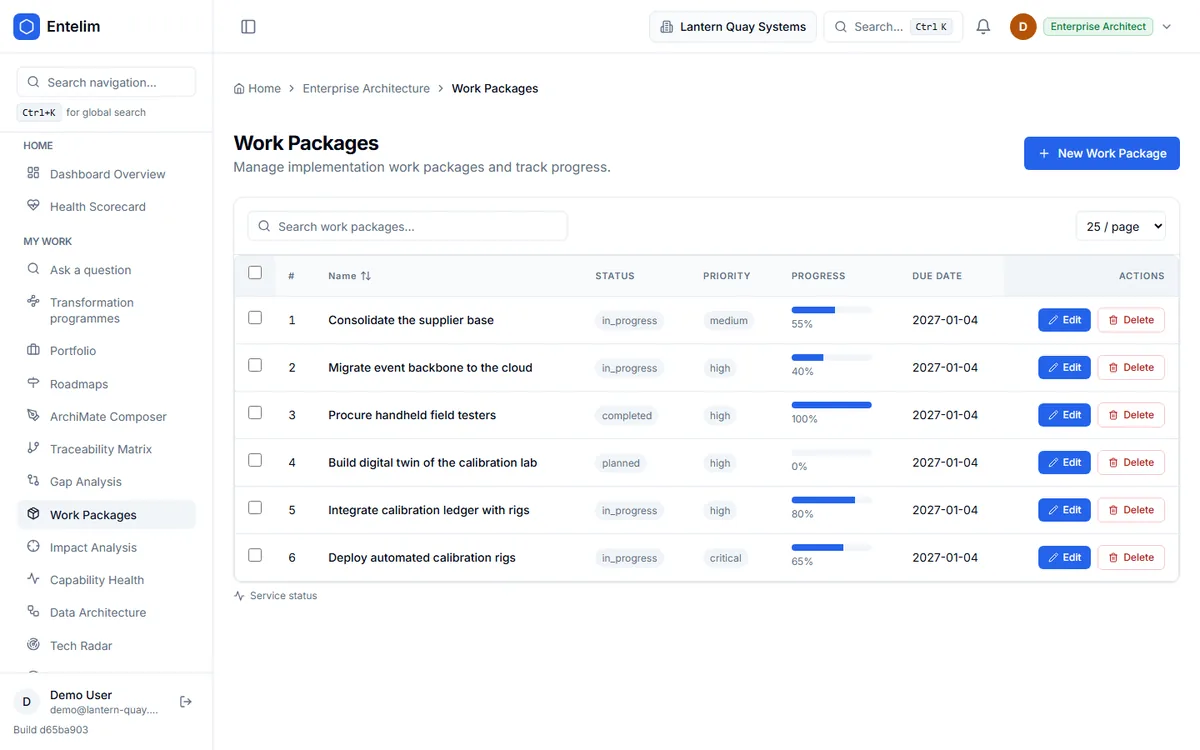
- Gap Analysis, a register of gaps between baseline and target with priority, status, impact and the work packages linked to each, and a separate list of the gaps no work package addresses.
- Roadmaps, which show the plateaus from baseline to target architecture with the gaps assigned to each, and a work package timeline with each package's duration by month. See Roadmaps.
- Capability Health, a portfolio health percentage across capabilities, a count of capabilities below 60 per cent health and the health of each domain.
- Motivation Model and Traceability Matrix, which hold the goals, drivers, outcomes, principles and requirements behind the work and follow elements from strategy down to technology.
Enterprise architects set the target state these capabilities move toward; read how they work on enterprise architect tools.
A week with Entelim
- Open the Capability Map and read which capabilities have no supporting application.
- Check Capability Maturity for the gaps between current and target, and note which capabilities have not been assessed.
- Add a value stream, enter its stages and map the capabilities each stage depends on.
- Open Value Streams at Risk at the threshold you care about and see which streams depend on a capability below it.
- Check which gaps have no work package behind them and take the roadmap to the next planning session.
What you hand over
A capability map with application coverage and the business owner recorded for each capability. A maturity picture that shows current, target and the date of each assessment, and says plainly where nothing has been assessed. Value streams with their stages and the capabilities beneath them, and a list of those at risk at the threshold you chose. A gap register that shows which gaps have work packages and which do not, and a roadmap with the work packages on a timeline.
Limits
Maturity is a level someone assessed and recorded; Entelim does not score capabilities for you, and a capability nobody has assessed shows no level. Capability coverage counts the applications mapped to a capability in the model and says nothing about how well they perform. A value stream is at risk only as far as its capabilities are linked to its stages and have a recorded maturity; a stream with no links shows no answer. Entelim does not run workshops or draw operating-model presentations; it holds what they decide.
Frequently asked questions
Does it support capability mapping?
Yes. The Capability Map lists each capability with its level, domain, business owner and supporting applications, and counts how many capabilities are mapped to applications and how many are not. You can filter by level and domain.
How does it show which value streams are at risk?
You set a maturity threshold from 1 to 5, and Entelim lists the value streams that depend on a capability whose current maturity is below it. Each row says how many of the stream's linked capabilities fall below the threshold and how many have no maturity recorded.
Does it invent a maturity level when none is recorded?
No. A capability with no recorded assessment shows a dash on the heat map, is counted as not assessed and is left out of the averages. Entelim never shows it as level 1, so a gap in the assessments is visible rather than hidden.
Can I see which gaps have no planned work?
Yes. The Gap Analysis register lists each gap with its priority, status, impact and linked work packages, and a separate list shows the gaps that no work package addresses, so an unplanned gap is visible. The work packages themselves sit on the roadmap timeline.
Is it free to start?
Yes. The Community plan is free for one organisation of up to three people; Startup, Team and Enterprise are the paid plans above it. See Entelim pricing, or self-host the open-source edition under AGPL-3.0.
Start free
Start free on the Community plan for one organisation of up to three people. A growing team moves to one of the paid plans. See full pricing.
Other roles
- Chief architect software for an architecture function you can account for
- CIO dashboard software for CTOs and technology leaders
- Data architect tools that tie every data flow to a real element in the model
- Enterprise architect tools for one model, not three disconnected ones
- IT portfolio manager software for a portfolio you can defend at budget time
- Know what you run, who owns it and what breaks if it fails — starting from GitHub or Jira
- Know what your startup runs and who owns it, from the day you connect GitHub
- Security architect tools that show what a risk reaches, not just where it was logged
- Solution architect tools for a design the review board can actually decide on
- Architecture Review Board
- Take a change through the review board with its evidence pinned to the decision
- What breaks if this service or platform fails, and who gets called?
- What happens to my business if this person, supplier or system underperforms?
- Which contracts renew soon, and what depends on them?
Choose a plan
Annual billing is selected; monthly is one click away. Any tax due is shown on the payment page before you pay.
Import your model and get a free, cited answer to what breaks if a system fails, in minutes.