What this module does
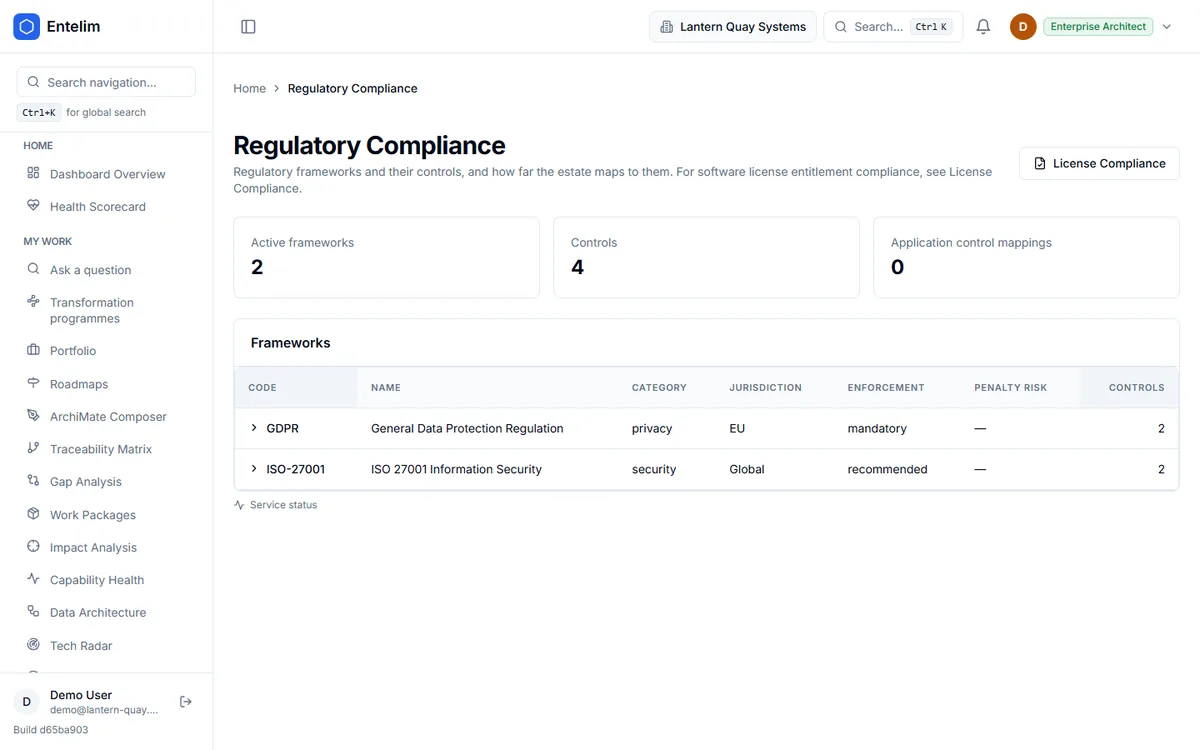
Records, per application, where it stands against each framework's controls. It shows what your own model's data says against a framework's requirements — never a certification or a guarantee that you pass an audit.
For each application, what is implemented and what is still a gap, as your own model records it. It is never a certification and never a promise you will pass an audit.
Who it is for
Questions it answers
Asked by a compliance lead.
Asked by a security architect.
Asked by a risk owner.
Asked by an auditor's contact.
How it works
Step 1
Pick a framework
Choose the framework whose controls you track.
Step 2
Record each application's position
Implemented, or still a gap.
Step 3
Read the dashboard
See framework coverage across the estate.
Step 4
Follow a gap
Open the risks that touch the same part of the architecture.
Records, per application, where it stands against each framework's controls. It shows what your own model's data says against a framework's requirements — never a certification or a guarantee that you pass an audit.
Start today
Free for up to three people, with no trial clock. Self-host it free under AGPL-3.0, at any size.